Anthropic Launches Record a Skill Feature for Claude
Anthropic has introduced a "Record a Skill" feature for Claude Cowork, allowing users to automate repetitive desktop tasks by simply recording themselves performing the workflow.
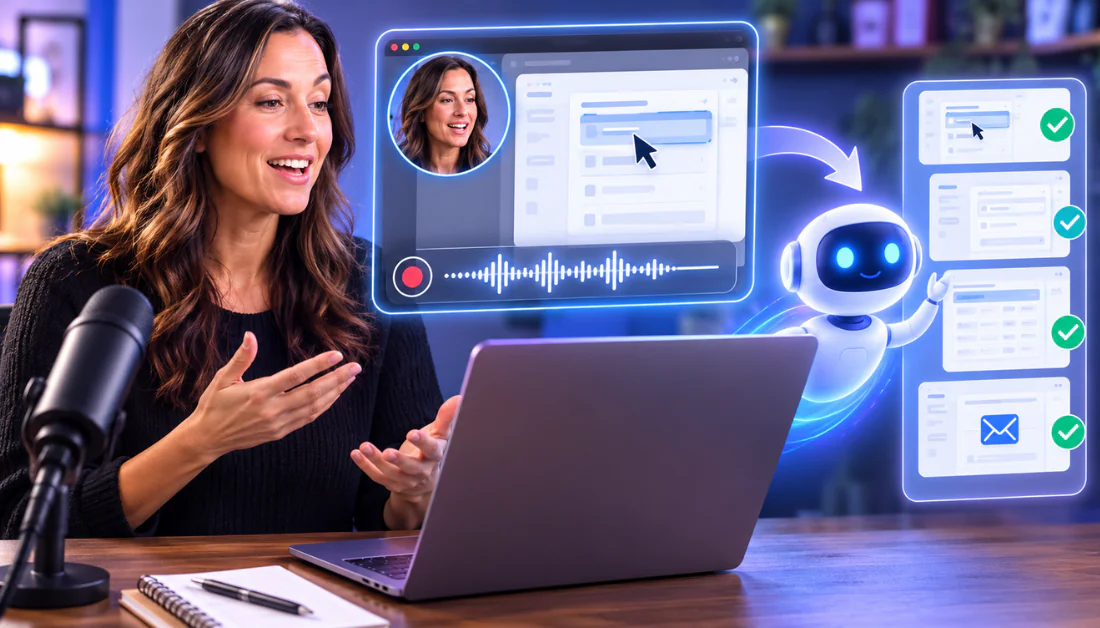
Anthropic has rolled out a new feature called "Record a Skill" within its Claude Cowork agentic tool, designed to let users automate repetitive workflows without writing code. Currently restricted to the Claude desktop app for macOS, the feature is available to subscribers on Pro, Max, and Team plans. Instead of drafting complex text prompts or building manual API integrations, users can record their screen, mouse movements, typing, and voice narration to teach the AI how to perform a specific task.
The recording session can run for up to 10 minutes. During this time, the system tracks actions and listens to verbal explanations to understand the reasoning behind a workflow. Once the recording is complete, Claude processes the session, discards the raw audio and video files to protect privacy, and retains only the essential screenshots needed for context. It then generates a draft skill that users can preview, refine, and save. The tool can also connect with external applications like Google Drive and Apple Notes to handle files and folders unattended in the background.
For developers and administrative professionals, this shifts the paradigm from active prompting to delegation. Practitioners can assign a multi-step job, such as formatting weekly status reports or organizing messy folders, and let the agent work independently across devices. However, users must grant macOS Accessibility and Screen Recording permissions, which raises potential privacy concerns regarding sensitive on-screen data. For those seeking alternatives, OpenAI offers Codex Record & Replay for deeper desktop automation, while Gumloop and the open-source OpenWork provide multi-model or team-based workflow automation.
This is our own summary of reporting by Unite.AI